In the complex world of networking, sometimes you don't just need an IP address; you need a whole collection, tailored precisely to your specifications. Whether you're a developer, a system administrator, a security specialist, or a network engineer, manually conjuring unique, contextually relevant IP addresses for testing, simulation, or documentation is a monumental chore. This is where Advanced Random IP Generation: Ranges, Subnets, and Specific Criteria becomes an indispensable tool, transforming a tedious task into a precise, efficient operation.
Forget haphazard guesswork or recycling old, potentially conflicting addresses. The modern toolkit for network professionals demands the ability to generate IPv4 and IPv6 addresses that fit specific private ranges, public-like patterns, distinct subnets, or specialized categories like unique local or link-local addresses. It's about empowering your work with realistic, controlled data, rather than being limited by cumbersome manual processes.
At a Glance: What You'll Learn
- Why advanced generation matters: Move beyond basic random IPs to addresses tailored for specific scenarios.
- IPv4 deep dive: How to generate private (Class A, B, C) and public-like IPs.
- IPv6 mastery: Understanding Global Unicast, Unique Local, and Link-Local addressing for generation.
- Subnet precision: Harnessing CIDR notation for highly granular IP outputs.
- Custom criteria: Setting start/end ranges, quantity limits, and output formats.
- Real-world applications: How these tools benefit testing, development, and security.
- Security & performance: The client-side advantage and practical limitations.
Why Random, Why Advanced? The Evolution of IP Generation
Imagine setting up a new network segment, simulating traffic for thousands of devices, or testing an application's resilience against diverse client connections. Manually assigning or even just listing unique IP addresses for each scenario is not only time-consuming but also prone to human error—duplicate IPs, out-of-range addresses, or accidental use of production-reserved blocks. Basic random IP generators offer a starting point, but they often lack the control needed for professional-grade tasks.
This is where "advanced" steps in. It's about imbuing randomness with intelligence and purpose. You're not just asking for "an IP address"; you're asking for "1,000 IPv4 addresses within the 10.0.0.0/8 private range, suitable for internal lab testing," or "50 IPv6 Unique Local Addresses for simulating an isolated IoT network." This level of specificity ensures your generated data is immediately useful and relevant, saving hours of manual validation and correction.
The best tools for this crucial task perform all generation client-side, right in your browser. This means no data leaves your machine, ensuring privacy and security while generating potentially sensitive network configurations. If you're looking for a reliable starting point, a robust random IP address generator can be invaluable for these intricate tasks.
The Core Mechanics: How Advanced IP Generation Works Under the Hood
At its heart, advanced IP generation relies on pseudo-random number generation combined with intelligent filtering and formatting logic. It's like having a master chef who can randomly pick ingredients but knows exactly how to combine them into specific dishes.
For IPv4, the process typically involves generating four random numbers between 0 and 255, each representing an octet. When you specify a private range or a public-like intention, the generator applies specific constraints:
- Private Classes: If you select "Class A Private," the first octet is fixed at
10, and the remaining three are randomized. For "Class B Private," the first octet is fixed at172, the second is restricted to16-31, and the last two are randomized. "Class C Private" fixes the first two octets to192.168, randomizing only the last two. - "Any" / Public-like: To avoid common conflicts, tools generating "any" or public-like addresses intelligently steer clear of well-known reserved ranges (like 10.x.x.x, 172.16-31.x.x, 192.168.x.x, 127.x.x.x for loopback, or 0.0.0.0 for default route). This ensures the generated IPs are more likely to simulate truly routable public addresses without inadvertently clashing with internal networks.
IPv6 generation is a bit more complex due to its 128-bit structure, but the principle is similar. IPv6 addresses are composed of eight 16-bit hexadecimal segments. The generator creates random hexadecimal numbers for each segment. Again, specific types come with strict prefix requirements: - Global Unicast (2000::/3): The first few bits are fixed according to the
2000::/3prefix, and the subsequent segments are randomized. - Unique Local (fc00::/7): The prefix is set to
fc00::/7, and the remaining bits are randomized. - Link-Local (fe80::/10): The
fe80::/10prefix is applied, and the rest of the address is filled with random hexadecimal values.
Crucially, most IPv6 generators automatically apply compression (using::to represent consecutive blocks of zeros), making the output far more readable. This commitment to both security and usability truly elevates the generation process.
Navigating IP Versions: Choosing Between IPv4 and IPv6
The choice between IPv4 and IPv6 generation isn't just about syntax; it's about the network environment you're targeting. Each protocol has its unique characteristics and typical use cases. Understanding these differences, even when generating random addresses, is key to making your simulations and tests accurate. For a broader perspective on their architecture, you might want to consider understanding IP address fundamentals.
IPv4: The Enduring Standard
Despite its limitations, IPv4 remains the backbone of most existing networks. When to generate IPv4 addresses:
- Legacy Systems: Testing or configuring older devices and applications that might not fully support IPv6.
- Private Networks: Simulating internal corporate networks, home networks, or isolated lab environments using private IP ranges (10.0.0.0/8, 172.16.0.0/12, 192.168.0.0/16).
- NAT Testing: Generating IPs that will sit behind a Network Address Translation (NAT) device.
- Simple Scenarios: For quick tests where the vastness of IPv6 isn't necessary.
IPv6: The Future-Proof Protocol
IPv6 addresses the scalability issues of IPv4, offering an astronomical number of unique addresses. When to generate IPv6 addresses:
- Modern Network Deployments: Testing new infrastructure, cloud environments, or services designed for IPv6.
- IoT Networks: Many Internet of Things (IoT) devices are designed with IPv6 in mind due to the sheer number of devices requiring unique addresses.
- Direct-End-to-End Connectivity: Simulating scenarios where NAT is not present, and every device needs a globally unique address.
- Advanced Networking Features: Testing protocols and features that are more robust or exclusive to IPv6. For a deeper understanding of its structure, consider a deep dive into IPv6 addressing.
Many advanced generators allow you to choose "Both" if your testing environment is dual-stack, providing a mix of addresses to ensure compatibility and robustness across your network.
Generating IPs Within Specific Ranges: The IPv4 Story
One of the most powerful features of advanced IP generation is the ability to confine your addresses to specific, pre-defined ranges. This is particularly critical for IPv4, where the address space is segmented into various classes and reserved blocks.
The "Any" or "Public-Like" Option
When you select "Any" or "Public-Like," the generator aims to produce IPv4 addresses that resemble those commonly found on the public internet. This means:
- Avoiding Private Blocks: It will deliberately sidestep 10.0.0.0/8, 172.16.0.0/12, and 192.168.0.0/16.
- Excluding Loopback and Reserved: Addresses like 127.0.0.0/8 (loopback) and other special-use ranges (e.g., multicast 224.0.0.0/4, experimental 240.0.0.0/4) are generally excluded.
Use Cases: Simulating public internet traffic, testing firewall rules for external access, or generating placeholder IPs for public-facing documentation where actual IPs aren't necessary.
Private IP Classes: Your Internal Playground
Private IP address ranges are specifically reserved for use within private networks, meaning they are not globally routable on the internet. This makes them ideal for internal lab environments, corporate networks, and home setups without fear of conflict with public IP addresses.
- Class A Private (10.0.0.0 - 10.255.255.255 / 10.0.0.0/8)
- Description: Offers a massive number of hosts (over 16 million), making it suitable for very large organizations.
- Generation Logic: The first octet is fixed at
10, and the remaining three octets are randomized (0-255). - Use Cases: Simulating large enterprise networks, data centers, or scenarios requiring extensive internal address space.
- Class B Private (172.16.0.0 - 172.31.255.255 / 172.16.0.0/12)
- Description: Provides 16 contiguous Class B network blocks, offering over a million hosts.
- Generation Logic: The first octet is fixed at
172, the second octet is randomized between16and31, and the last two octets are randomized (0-255). - Use Cases: Medium-to-large organizations, segmenting different departments, or complex lab setups.
- Class C Private (192.168.0.0 - 192.168.255.255 / 192.168.0.0/16)
- Description: The most commonly used private range, offering 256 Class C network blocks, each with 254 usable hosts.
- Generation Logic: The first two octets are fixed at
192.168, and the last two octets are randomized (0-255). - Use Cases: Home networks, small office networks, individual lab environments, and basic testing scenarios.
By selecting these specific types, you ensure that the generated IPs are immediately usable within your defined network scope without the risk of public IP clashes.
Mastering IPv6 Generation: Beyond the Basics
IPv6 offers a more organized and expansive address space, but its structure can initially seem daunting. Advanced generators simplify this by categorizing addresses based on their intended use, making it easier to select the right type for your scenario.
Global Unicast Addresses (GUA): The Internet Backbone (2000::/3)
- Description: These are the equivalent of public IPv4 addresses. They are globally unique and routable on the public internet. Most IPv6 traffic uses GUAs. The
2000::/3prefix means addresses start with001in binary (or 2 or 3 in the first hex digit). - Generation Logic: The generator fixes the initial bits according to the
2000::/3prefix, then randomizes the remaining 125 bits to create unique global addresses. - Use Cases: Simulating internet-facing servers, cloud deployments, peer-to-peer connections across the globe, or any scenario requiring public routability.
Unique Local Addresses (ULA): Your Private IPv6 Space (fc00::/7)
- Description: ULAs are analogous to IPv4 private addresses. They are unique within an organization but not routable on the global internet. They're designed for private communications between sites or within an organization without conflicting with global addresses. The
fc00::/7prefix indicates these addresses. - Generation Logic: The generator sets the
fc00::/7prefix and then randomizes the rest of the address, including a randomly generated Global ID (which provides uniqueness) and a subnet ID. - Use Cases: Building isolated internal networks, testing network segmentation, creating data for internal device configurations, or simulating multi-site VPN environments.
Link-Local Addresses: Interface-Specific Communication (fe80::/10)
- Description: These addresses are automatically configured on every IPv6-enabled interface and are only valid for communication on the local link (network segment). They are not routable beyond that link. The
fe80::/10prefix indicates a link-local address. - Generation Logic: The
fe80::/10prefix is fixed, and the remaining 54 bits of the interface identifier are often derived from the MAC address or generated randomly. - Use Cases: Simulating Neighbor Discovery Protocol (NDP), testing local network services, or verifying basic link-layer connectivity without requiring a router. These are less common for random generation for general purposes but crucial for understanding IPv6.
Most tools default to compressed IPv6 output (e.g.,fe80::1), which shortens the display of consecutive zero segments, greatly improving readability.
Subnets and CIDR: The Art of Granular Control
Beyond just ranges, the concept of subnets and Classless Inter-Domain Routing (CIDR) notation allows for incredibly granular control over IP address generation. If you're new to the topic, a quick primer on getting started with subnetting concepts can be beneficial.
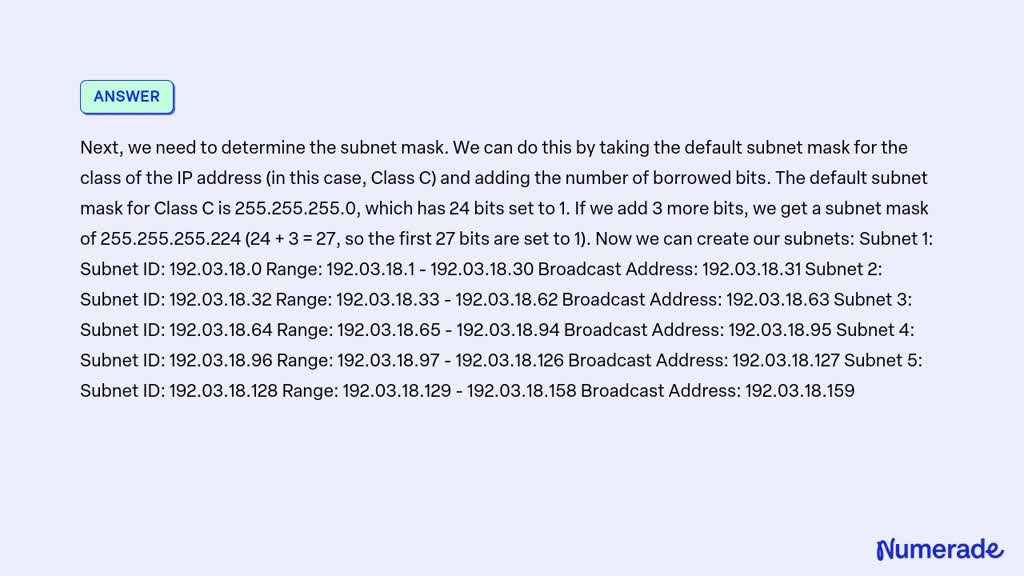
A subnet defines a smaller, logical network within a larger IP range, specified by a network address and a subnet mask (or CIDR prefix). For example, 192.168.1.0/24 specifies a network where the first 24 bits are fixed, and only the last 8 bits can vary, allowing for 254 usable host addresses (192.168.1.1 to 192.168.1.254).
Advanced IP generators can typically interpret CIDR notation in a couple of ways:
- Implicitly through Type Selection: When you choose "Class C Private," the generator inherently understands this as
192.168.0.0/16and confines its random output to that range. - Explicit Start/End IP: Some tools allow you to specify a precise start and end IP address (e.g., from
192.168.10.1to192.168.10.254). This effectively defines a custom subnet range for generation, even if you don't explicitly enter the CIDR prefix.
Example: Generating IPs in a specific /24 subnet
Let's say you need 50 IPs for devices within the172.16.50.0/24subnet. You would typically: - Select "IPv4."
- Enter the Quantity as
50. - Specify "Start IP" as
172.16.50.1and "End IP" as172.16.50.254(or172.16.50.255if you want to include the broadcast address, though usually you don't need that for host IPs).
The generator will then produce 50 unique random IPs that fall strictly within that defined/24range, respecting the network and broadcast boundaries. This level of precision is invaluable for simulating network segments, allocating addresses for specific VLANs, or planning subnet capacities.
Crafting Custom Criteria: Tailoring Your IP Output
Beyond merely selecting IPv4 or IPv6, the true power of advanced generators lies in their ability to accept and apply a variety of custom criteria. These options ensure the output is perfectly suited to your specific needs.
Quantity Selection: How Many Do You Need?
This is straightforward: you input the exact number of IP addresses required. However, there are practical limitations to consider:
- Browser Performance: Since generation happens client-side, extremely large quantities (e.g., millions) can significantly slow down or even crash your browser. Most tools have a built-in cap (e.g., 10,000 or 100,000) to maintain performance. For very massive datasets, you might need to generate in batches or use server-side scripting solutions.
- Uniqueness: Within smaller ranges (like a
/24subnet), generating a quantity close to the total available hosts might result in fewer truly random selections. The tool will typically ensure uniqueness within the requested quantity.
Start and End IP Ranges: Precision Within a Block
This is where you define the precise boundaries for your IP generation, offering fine-grained control over the output.
- How it Works: You specify a
Start IP(e.g.,192.168.10.50) and anEnd IP(e.g.,192.168.10.100). The generator will then randomly pick IPs only from within this inclusive range. - Benefits: Ideal for allocating addresses for specific purposes, ensuring generated IPs don't overlap with existing infrastructure, or confining tests to a very particular segment.
- Considerations: Ensure your
Start IPis less than or equal to yourEnd IP. If the desired quantity exceeds the available IPs in the specified range, the tool should alert you or generate only up to the maximum available.
Excluding Specific Ranges or Types
While not universally present in all online tools, advanced local scripts or more sophisticated generators might allow you to specify exclusions. This could include:
- Existing Servers: Avoiding IPs already assigned to critical infrastructure.
- Multicast/Reserved: Ensuring no special-purpose addresses are generated for hosts.
- Specific Subnets: Generating IPs outside a particular busy subnet.
Output Format: Ready for Action
Once generated, the IPs need to be usable. Advanced tools offer flexible output options:
- Copy to Clipboard: The fastest way to grab the list for immediate pasting into a document or terminal.
- Download as .txt: A simple plain text file, one IP per line.
- Download as .csv: Ideal for importing into spreadsheets, databases, or configuration management systems, especially if additional data (like hostnames) were generated alongside the IPs.
Real-World Applications: Where Advanced IP Generation Shines
The ability to generate tailored IP addresses isn't just a niche feature; it's a critical enabler across various technical domains. Leveraging these capabilities is a core aspect of effective network testing strategies.
Network Testing & Simulation
- Load Balancing: Generate thousands of unique client IPs to simulate heavy traffic on load balancers, ensuring they distribute connections evenly and scale appropriately.
- Routing Protocols: Create diverse subnets and host IPs to test the configuration and convergence of routing protocols like OSPF or BGP in complex topologies.
- Firewall Rules: Generate IPs from various internal and external ranges to thoroughly test firewall rules, ensuring correct access control and preventing unintended exposures.
- VPN Tunnels: Simulate multiple remote clients connecting via VPN, testing tunnel stability and IP assignment.
Application Development & Quality Assurance (QA)
- Test Data Generation: Applications often interact with IP addresses (logging, access control, user tracking). Generate vast amounts of varied IP data for comprehensive testing, covering edge cases like private vs. public IPs.
- Performance Testing: Simulate thousands of unique users hitting a web server or API by assigning each simulated "user" a distinct IP address.
- Geolocation Testing: While random IPs don't have inherent geo-location, generating IPs from diverse public-like ranges can be a placeholder for further geo-mapping in specific testing frameworks.
Security Audits & Penetration Testing
- Fuzzing: Generate random, malformed, or boundary-condition IP addresses to test the robustness of network services and applications against unexpected input.
- Reconnaissance Simulation: Create lists of potential target IPs within a large range to simulate network scans and test detection mechanisms.
- Log Analysis: Populate security information and event management (SIEM) systems with diverse IP traffic data to test alert rules and correlation engines. For more advanced cybersecurity testing, you might find essential cybersecurity testing tools quite useful.
Documentation & Training
- Network Diagrams: Generate realistic, non-conflicting IP addresses for diagrams and documentation without exposing real network details.
- Training Materials: Provide students with unique IP assignments for lab exercises, ensuring each student has their own "virtual" network space.
- Configuration Examples: Create practical, easy-to-understand configuration examples for routers, switches, and servers.
Common Questions & Pitfalls
Even with powerful tools, questions and misunderstandings can arise.
"Is it truly random?"
Most generators use pseudo-random number generators (PRNGs). While they produce sequences that appear random, they are deterministic if you know the starting "seed." For most network testing and simulation purposes, PRNGs are perfectly adequate. For cryptographic security or truly unpredictable randomness, you'd typically need hardware-based true random number generators (TRNGs), which are beyond the scope of a typical IP generation tool.
"Can I generate millions of IPs?"
Realistically, no, not directly within a client-side browser tool. As noted, browser performance limitations usually cap the output at thousands or tens of thousands of addresses. Generating millions would require a more robust, often server-side or local scripting solution (e.g., Python script) designed for high-volume data processing.
"Are these IPs 'real' or usable?"
This depends entirely on context:
- Yes, for testing/simulation: If you generate private IPs, they are perfectly "real" and usable within your private network. Public-like IPs are syntactically correct and can represent public addresses in a test environment, even if they aren't actually assigned to a public entity.
- No, for deployment: You cannot simply take a randomly generated public-like IP and expect it to work on the internet. Public IPs must be assigned by an Internet Service Provider (ISP) or a regional internet registry. The "random" aspect is for testing scenarios.
"Why client-side generation?"
The fact that all generation happens client-side in your browser using JavaScript is a significant security and privacy feature. It means:
- No Data Sent to Server: Your specific criteria (IP ranges, quantity) and the generated IP addresses themselves never leave your machine. This is crucial if you're working with potentially sensitive network configurations or testing scenarios.
- Privacy: There's no server logging or tracking of what IPs you generate.
- Speed: For reasonable quantities, client-side generation is often very fast, as there's no network latency involved in requesting and receiving data from a server.
Beyond the Basics: Leveraging Your Generated IPs
Once you have your list of highly specific, randomly generated IP addresses, the real work begins.
- Integration with Scripts: Copy the list into a text file and use scripting languages like Python, Bash, or PowerShell to iterate through them. This allows you to automate tasks like:
- Adding IPs to a host file for local DNS resolution.
- Configuring virtual machines or containers with specific addresses.
- Feeding IPs into network scanners or penetration testing tools.
- Configuration Management: Import generated IP lists into tools like Ansible, Puppet, or Chef to automatically deploy network configurations or update server settings across many devices.
- Data Analysis: Use the generated data in spreadsheets or custom applications to perform statistical analysis on network segments, traffic patterns, or security events.
Taking Control of Your Network Simulations
The days of tediously crafting IP address lists by hand are behind us. Advanced random IP generation tools empower network professionals, developers, and security experts to quickly and reliably produce IP addresses that fit exact criteria—be it specific IPv4 private classes, global IPv6 unicast addresses, or granular subnet ranges.
This precision accelerates testing, enhances simulation realism, and significantly reduces the potential for errors in complex network environments. By understanding the core mechanics, leveraging specific range options, and adhering to practical limitations, you gain an invaluable asset for any project touching the world of IP networking. Embrace the power of intelligent randomness, and bring unparalleled control to your network simulations and configurations.